
QA testing in plain English
Run plain-English browser tests in parallel and review structured pass/fail reports.
- Built by
- PJPranav Janakiraman
- Type
- App
- Category
- E-commerce & Retail
- Needs keys
- TinyFish · Groq
- Published
- Feb 6, 2026
What it does
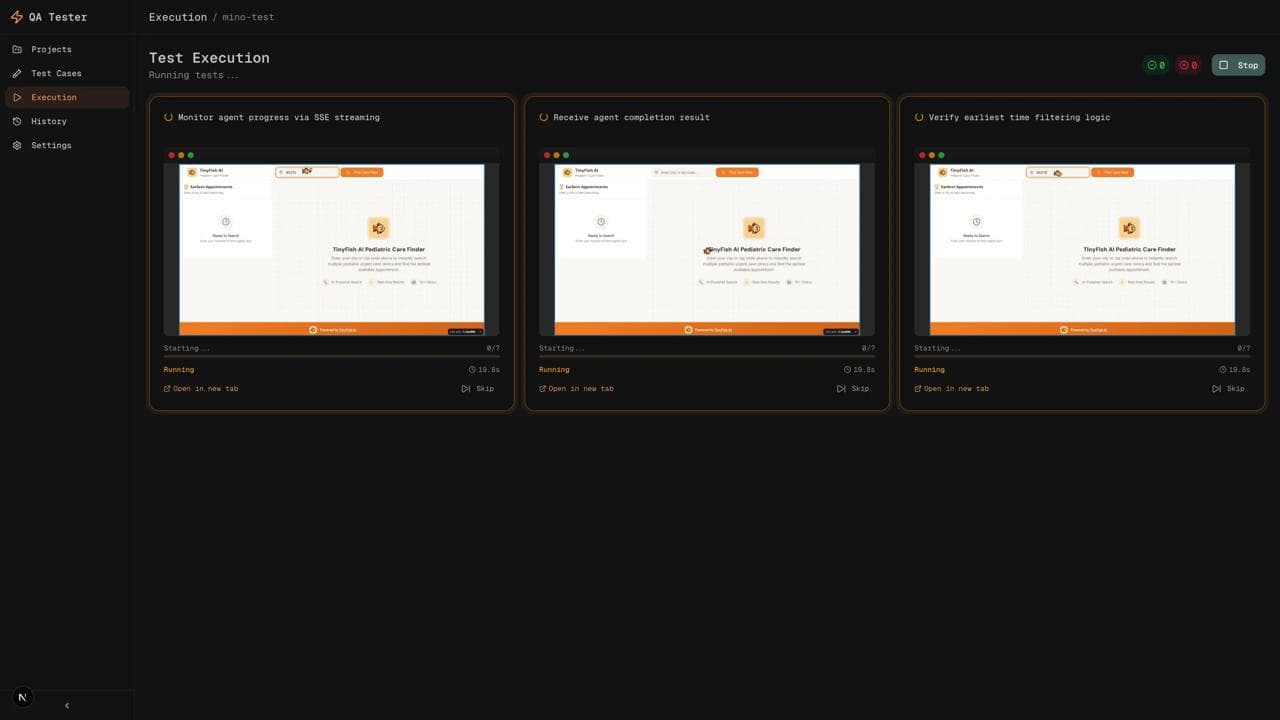
Fast QA turns plain-English test cases into browser checks. Groq structures the requested steps, TinyFish agents execute them against a website, and the dashboard collects pass/fail outcomes and explanations.
How to use it
- 01Describe a test, including the target URL, actions, and expected result.
- 02Review the generated steps or generate a suite from a feature description.
- 03Choose a batch size and run the tests.
- 04Watch browser previews, inspect each result, and generate a bug report for a failed case.
What you get
A test execution dashboard with concurrent runs, progress visibility, and AI-written result summaries. Keep expected outcomes concrete so a completed browser session can be distinguished from a passed test.
Run it locally
Set up Fast QA from the TinyFish Cookbook on my machine. 1. Clone https://github.com/tinyfish-io/tinyfish-cookbook.git and work in the `fast-qa` folder. 2. Check I have Node.js 22 installed. 3. Run `npm install`, then `cp .env.example .env.local`. 4. In `.env.local`, set `TINYFISH_API_KEY`, `GROQ_API_KEY`. Ask me for each key; never invent one. 5. Start it with `npm run dev`. 6. When it is running, open http://localhost:3000 and tell me it is ready.
Stuck? support@tinyfish.ai · TinyFish docs
Give product and engineering teams a shared way to describe and investigate browser regressions without writing a separate automation script for every check.
Related builds
Browse all 8Competitor price monitoring
Compare competitors’ pricing plans, billing units, and features in one dashboard.
Agent skills from live docs
Turn live documentation and developer discussions into reusable AI skill guides.
Market research for Vietnam
Turn questions about Vietnamese markets into sourced research briefs.