

Spot the zombies in any spreadsheet
Check an old company or job spreadsheet against live pages and get a verdict, with sources, for every row.
- Built by
- SBSarvesh Bijawe
- Type
- App
- Category
- Recruiting & Careers
- Runs on
- TinySet ·TinyFetch ·TinySearch ·TinyAgent ·TinyBrowser
- Published
- Nov 17, 2026
What it does
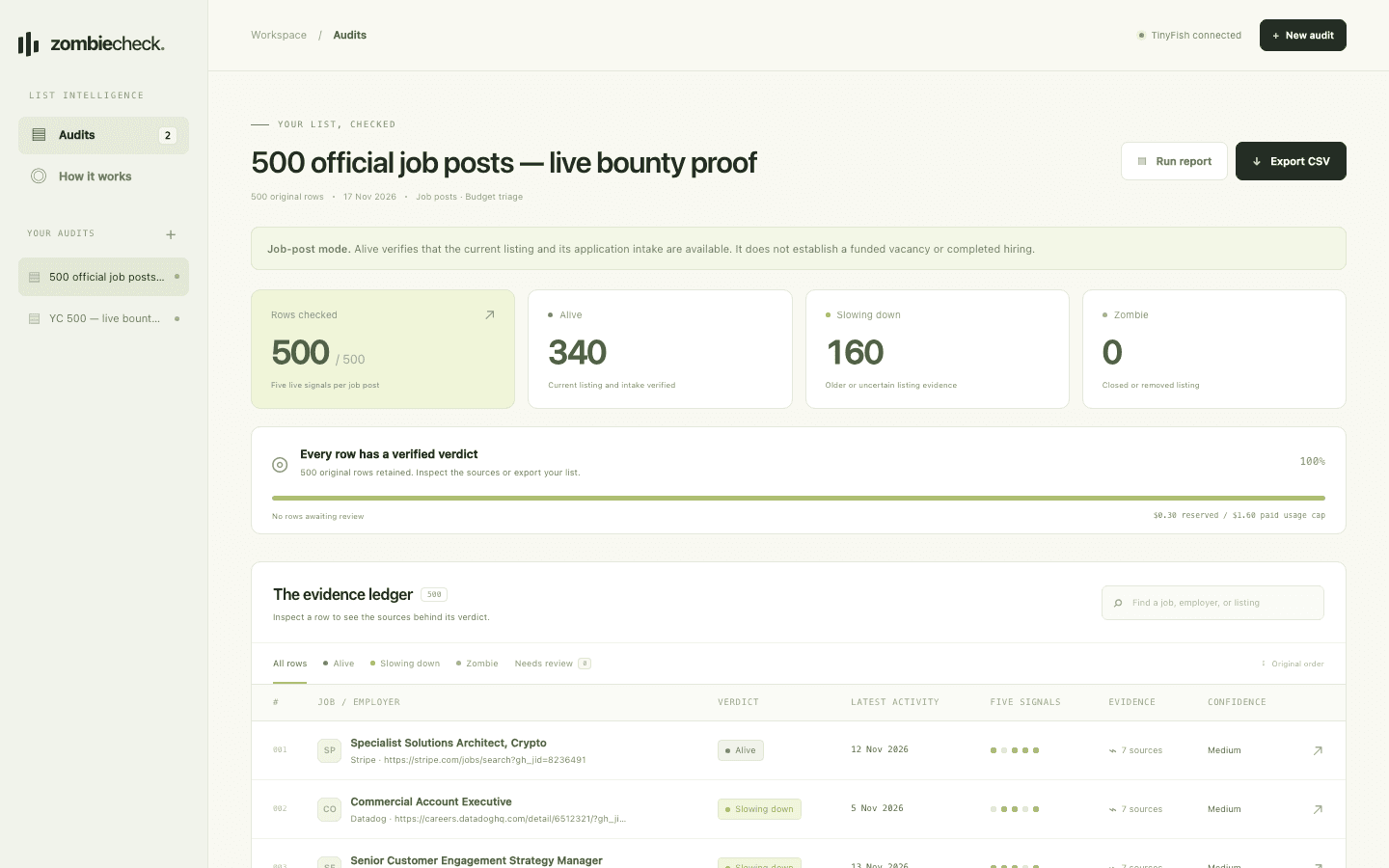
Zombie Check takes an old spreadsheet of companies or job posts and checks every row against live pages. It keeps your original cells and adds a verdict for each row, alive, slowing down or zombie, with the date of the latest activity and links to the evidence.
Its proof run audited 500 real job posts from Stripe, Datadog and Cloudflare: 340 came back alive and 160 slowing down, with at least four verified signals on every row.
How it uses TinyFish
TinySet researches the companies behind the rows once, and the results are joined to every row.
TinyFetch reads each page fresh to check that a posting or product is still live.
TinySearch recovers sources that have gone missing.
TinyAgent and TinyBrowser check controls that only work in a real browser, like an apply or sign-up button.
Run it locally
Set up Zombie Check from the TinyFish Cookbook on my machine. 1. Clone https://github.com/Sarvesh5273/Zombie-Check.git. 2. Check I have Python 3.9 installed. 3. Run `cd Zombie-Check`, then `export TINYFISH_API_KEY=your-key`, then `python3 -m zombiecheck serve --port 8765`. 4. When it is running, open http://127.0.0.1:8765 and tell me it is ready.
Stuck? support@tinyfish.ai · TinyFish docs
Spreadsheets of companies, vendors and job posts fill up with zombies: still listed, but nobody home. Zombie Check cleans the list and shows why each row got its verdict.
Winner of the Zombie Check launch bounty, built on TinySet.
Related builds
Browse all 24Licence checks at the official register
Check a professional licence or a company registration against the official register, live, and watch it for changes.
Job radar for students
Set your preferences once and get a ranked shortlist of live internships and jobs.
Investors who back startups like yours
Describe a startup and get a ranked list of investors who backed similar companies, with proof for every match.