

Export your Canvas grades and files
Sign in once and export every Canvas grade, assignment and submitted file to CSV and JSON.
- Built by
- NDNicolas Dangg
- Type
- App
- Category
- Research & Academia
- Runs on
- TinyAgent ·TinyBrowser
- Published
- Nov 17, 2026
What it does
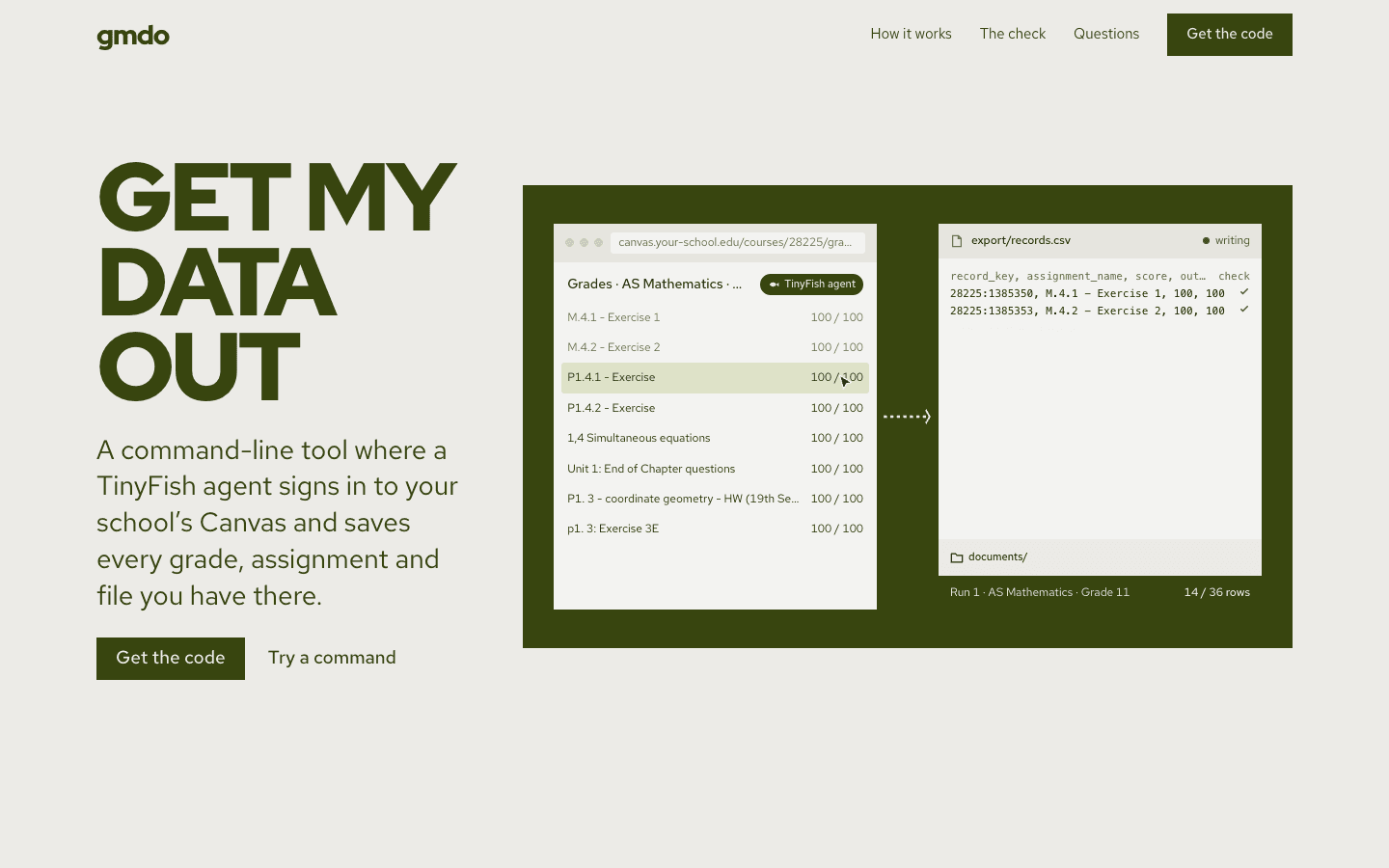
gmdo gets your data out of Canvas, the learning platform many schools run on. Students usually get no export: grades, assignment history and the files you handed in sit behind a sign-in and a dozen course menus.
gmdo signs in through a TinyFish browser profile, has an agent read every course's Grades page, checks each run against what Canvas itself reports, and writes clean CSV and JSON plus your documents. Run it again later and it only touches the courses that changed.
How it uses TinyFish
A TinyFish browser profile handles sign-in: you sign in once by hand and the profile keeps the session. No password is typed into, stored by or sent through the tool.
TinyAgent reads each course's Grades page in one batch, a run per course, against a fixed output schema.
TinyBrowser, using the same signed-in profile, lists the courses, reads the counts Canvas reports so every run can be checked, and downloads documents byte for byte.
Run it locally
Set up gmdo from the TinyFish Cookbook on my machine. 1. Clone https://github.com/NicolasDangg/gmdo.git. 2. Check I have Python installed. 3. Run `cd gmdo`, then `uv venv && uv pip install -e '.[dev]'`, then `export TINYFISH_API_KEY=your-key`. 4. Tell me when it is running.
Stuck? support@tinyfish.ai · TinyFish docs
Your grades and coursework are yours. gmdo turns a portal with no export button into files you can keep.
1st place in Get My Data Out, Bounty Drop 002.
Related builds
Browse all 24Research papers, read like manga
Ask a question, pick a real paper, and read it as a short manga where every claim links back to a verified quote.
Trace any claim back to its source
Highlight a claim on any page and follow it back, source by source, to where it first appeared.
Fact-checks for viral claims
Paste a claim in English or Hindi and get a sourced verdict, with every quote checked against the page.